Introduction
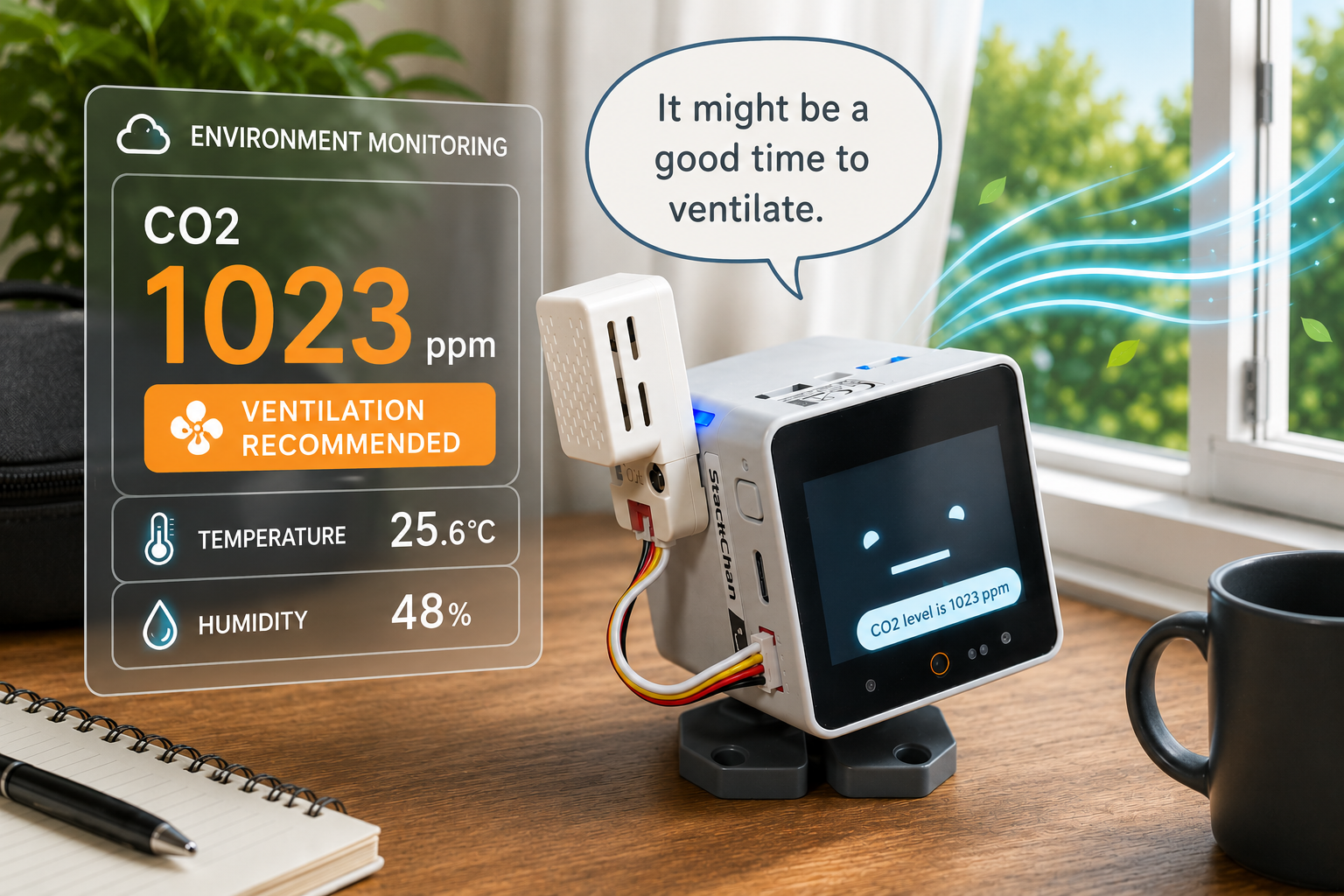
I connected an SCD41-based CO2 sensor to M5StackChan and enabled it to report real-time CO2 concentration, temperature, and humidity through conversation using a built-in MCP tool.
When you ask StackChan "Should I ventilate the room?", it retrieves sensor data via the get_co2_data MCP tool and responds with ventilation advice. CO2 concentration is a useful indicator of air quality, and 1000 ppm is commonly cited as a guideline for when to ventilate. This article configures StackChan to reference this threshold and judge ventilation timing.
This article covers CO2L Unit assembly and wiring, firmware customization with SCD41 support, and verification.
Equipment
| Item | Notes | Purchase URL |
|---|---|---|
| M5StackChan (M5Stack official version) | Main robot body | M5Stack Store |
| M5Stack Unit CO2L (SCD41) | CO2/temperature/humidity sensor | M5Stack Store |
| M5Stack GROVE-compatible cable 5 cm (10-pack) | For Port.A connection (optional) | M5Stack Store |
| LEGO Technic fixing peg ×2 | For sensor mounting (optional) | - |
.B7AEDM4x.jpg)
Wiring & Assembly
The SCD41 by Sensirion uses photoacoustic sensing technology and measures CO2 concentration along with temperature and humidity. The CO2L Unit is an M5Stack Grove module built around this sensor with I2C address 0x62. Measurement ranges are 400–5000 ppm for CO2, -10–60°C for temperature, and 0–95% RH for humidity.
Connect the CO2L Unit to StackChan's Port.A (the red connector on the left side) via a Grove cable. While the 20 cm cable included with the unit works fine, the separately available 5 cm cable results in less cable slack.
Port.A (Grove) pin assignments:
| Grove Pin | Color | Signal | CoreS3 GPIO |
|---|---|---|---|
| 1 | Yellow | SCL | G1 |
| 2 | White | SDA | G2 |
| 3 | Red | 5 V | — |
| 4 | Black | GND | — |
Both StackChan and M5Stack units have LEGO-compatible mounting holes, so you can use fixing pegs for a secure and clean installation. (I reused pegs from an M5Stack servo kit I already had.)
.CYC2aB2V.jpg)

.B7qPzKgQ.jpg)
Custom Firmware
What Was Customized
I customized the M5StackChan firmware to add SCD41 support, with implementation assistance from Codex and Claude Code using the official documentation.
Due to the scope of changes, I forked the official repository and published the modified source code on GitHub. The changes are in the feature/scd41-co2-unit branch of pinelibg/StackChan:
- Added I2C driver for SCD41
- Added I2C initialization function for Port.A
- Sensor initialization and periodic data acquisition via a background task
- Added a CO2 monitor display app
- Added built-in MCP tool
get_co2_datafor fetching CO2 sensor readings - All additions can be enabled/disabled via build config (
CONFIG_HAL_SCD41_ENABLED, enabled by default)
The MCP tool description includes a ventilation guideline (recommending ventilation when CO2 exceeds 1000 ppm), so the AI interprets the data and generates natural responses. Note that the display app uses 800/1200 ppm color thresholds, while the MCP tool description uses the simpler 1000 ppm threshold for the AI.
If the sensor is not connected, the tool returns {"error": "SCD41 not available"} and the AI will inform the user accordingly.
Build & Flash
See the previous article (🔧 Building the M5StackChan Firmware Development Environment) for build environment setup.
Clone the feature/scd41-co2-unit branch and build:
git clone https://github.com/pinelibg/StackChan.git
cd StackChan/firmware
git checkout feature/scd41-co2-unit
After that, follow the standard build and flash procedure.
Verification
One important note: the sensor does not operate on battery power alone — USB power is required. It should be possible to enable Grove port power via software by controlling CoreS3's PMIC, but this is currently unverified. All tests below were performed with USB connected.
CO2 Monitor App
After flashing, a "CO2" app is added to the menu. Launching it displays real-time sensor readings updated every 5 seconds. The meter color changes based on CO2 concentration:
.u1FrLyzD.jpg)
| Level | Color | Status |
|---|---|---|
| Below 800 ppm | Green | Good |
| 800–1200 ppm | Yellow | Caution |
| 1200 ppm and above | Red | Ventilate |

AI Conversation
During a conversation, StackChan calls the self.robot.get_co2_data tool and provides advice based on current sensor readings.
These tests used the local LLM (Gemma 4 E4B model) from the previous article (🤖 Running M5StackChan AI.AGENT with a Local LLM).


Summary
By connecting the SCD41 CO2 sensor to StackChan and registering get_co2_data as a built-in MCP tool, the AI can now suggest ventilation timing based on real-time CO2 data.
The same pattern can be extended to other sensors — I have a barometric pressure sensor I haven't connected yet.
Currently, StackChan only responds about ventilation when asked. Adding sensor data to each conversation context, or periodically passing sensor data to the AI for evaluation, could enable proactive ventilation alerts in the future.
Previous Posts
- 🤖 Setting Up StackChan (M5Stack version)
- 🤖 Running M5StackChan AI.AGENT with a Local LLM | Self-Hosting a Xiaozhi AI-Compatible Server
- 🤖 Connecting Custom MCP Servers to M5StackChan AI.AGENT